
Exam Name: Microsoft Azure Infrastructure and Deployment (AZ-100日本語版)
Certification Provider: Microsoft
Corresponding Certification: Microsoft Azure

Over 62146+ Satisfied Customers
Instant Download Microsoft : AZ-100日本語 Questions & Answers

Check Updated on: Nov 23, 2026
No. of Questions: 205 Questions & Answers with Exam Engine
Download Limit: Unlimited
Instant Download: Upon successful payment, Our systems will automatically send the product you have purchased to your mailbox by email. (If not received within 12 hours, please contact us. Note: don't forget to check your spam.)
100% Money Back Guarantee
ActualTestsIT has an unprecedented 99.6% first time pass rate among our customers.  We're so confident of our products that we provide no hassle product exchange.
- Best exam practice material
- Three formats are optional
- 365 Days Free Updates
- 10+ years of excellence
- Learn anywhere, anytime
- 100% Safe shopping experience
AZ-100日本語 Desktop Test Engine
- Installable Software Application
- Two Modes For AZ-100日本語 Practice
- Practice Offline Anytime
- Simulates Real AZ-100日本語 Exam Environment
- Builds AZ-100日本語 Exam Confidence
- Supports MS Operating System
- Software Screenshots
- Total Questions: 205
- Updated on: Nov 23, 2026
- Price: $79.00
AZ-100日本語 PDF Practice Q&A's
- Printable AZ-100日本語 PDF Format
- Study Anywhere, Anytime
- 365 Days Free Updates
- Prepared by Microsoft Experts
- Instant Access to Download AZ-100日本語 PDF
- Free AZ-100日本語 PDF Demo Available
- Download Q&A's Demo
- Total Questions: 205
- Updated on: Nov 23, 2026
- Price: $79.00
AZ-100日本語 Online Test Engine
- Online Tool, Convenient, easy to study.
- Instant Online Access AZ-100日本語 Dumps
- Test History and Performance Review
- Supports Windows / Mac / Android / iOS, etc.
- Supports All Web Browsers
- AZ-100日本語 Practice Online Anytime
- Try Online Engine Demo
- Total Questions: 205
- Updated on: Nov 23, 2026
- Price: $79.00
After payment, the AZ-100日本語 exam product reaches your mailbox in about a minute — automatically, without any manual step. ActualTestsIT delivers the Microsoft Azure Infrastructure and Deployment (AZ-100日本語版) materials the moment your order clears, so the time you would have spent waiting goes into studying instead.
Microsoft AZ-100日本語 Exam Overview:
| Certification Vendor: | Microsoft |
|---|---|
| Exam Name: | Microsoft Azure Infrastructure and Deployment |
| Exam Number: | AZ-100 |
| Exam Duration: | 150 minutes |
| Certificate Validity Period: | Retired (replaced by AZ-103 / AZ-104; current Azure Administrator certification requires annual renewal) |
| Passing Score: | 700/1000 |
| Exam Price: | $165 USD (varies by region) |
| Available Languages: | German, Korean, Spanish, French, Chinese (Simplified), English, Japanese |
| Real Exam Qty: | 40-60 |
| Related Certifications: | AZ-104 Microsoft Certified: Azure Administrator Associate AZ-103 |
| Exam Format: | Multiple response, Drag and drop, Scenario-based questions, Multiple choice, Case study |
| Recommended Training: | Azure Fundamentals Learning Resources Microsoft Learn Azure Administrator Path |
| Exam Registration: | Microsoft Certification Dashboard Pearson VUE Microsoft Exams |
| Sample Questions: | DOWNLOAD DEMO |
| Exam Way: | Online proctored exam via Pearson VUE or onsite test center |
| Pre Condition: | No mandatory prerequisites; basic knowledge of Azure services and IT administration recommended |
| Official Syllabus URL: | https://learn.microsoft.com/en-us/credentials/certifications/azure-administrator/ |
Microsoft AZ-100日本語 Exam Syllabus Topics:
| Section | Objectives |
|---|---|
| Topic 1: Configure and Manage Virtual Networks | - Virtual networks and subnets - VPN Gateway and hybrid connectivity - Network security groups (NSGs) |
| Topic 2: Implement and Manage Storage | - Azure Storage accounts - Data replication and redundancy - Blob, file, queue, and table storage |
| Topic 3: Manage Identities | - Authentication and conditional access - Users, groups, and roles - Azure Active Directory (AAD) |
| Topic 4: Deploy and Manage Virtual Machines | - VM monitoring and backup - VM creation and configuration - Availability sets and scale sets |
| Topic 5: Manage Azure Subscriptions and Resources | - Role-based access control (RBAC) - Subscriptions and resource groups - Azure Monitor and logging basics |
AZ-100日本語 Exam FAQ: Study Formats and Exam Facts
Registration for the AZ-100日本語 exam runs through these official channels:
Given the exam's cost, book your sitting when your mock-exam results — not your calendar — say you are ready.
The AZ-100日本語 exam contains 40-60 questions with 150 minutes minutes to complete them. The PC test engine and the online test engine both let you rehearse under the same time pressure, so pacing stops being a variable on exam day.
No mandatory prerequisites; basic knowledge of Azure services and IT administration recommended
Passing the AZ-100日本語 exam requires 700/1000, and registration costs $165 USD (varies by region). That fee is exactly why candidates worry about wasting money on a failed attempt — and why structured preparation with verified answers is worth more than hopeful improvisation.
Same Microsoft Azure Infrastructure and Deployment (AZ-100日本語版) content, different reach. The PC test engine runs on Windows, simulates the formal exam atmosphere, and shows you where your shortcomings and strengths lie — with no limit on the number of computers you install it on. The online test engine is available only at ActualTestsIT: it runs on Windows, Mac, Android, and iOS, and once loaded it works without internet, so you can practice the AZ-100日本語 exam questions on any device, at any time, anywhere. Both are built from the same daily-checked question bank.
The official outline divides the AZ-100日本語 exam into weighted domains, including:
- Configure and Manage Virtual Networks ()
- Implement and Manage Storage ()
- Manage Identities ()
The Microsoft Azure Infrastructure and Deployment (AZ-100日本語版) practice questions at ActualTestsIT follow these same objectives across all three formats — PDF, PC engine, and online engine.
Work with your constraints, not against them. Short, regular sessions beat rare marathon ones: run a timed mock early to map your shortcomings, then spend your limited hours on those weak areas using the expert-verified answers to close each gap. The AZ-100日本語 exam bank is organized around the official objectives, so nothing you study is off-topic — and the online engine turns commutes and queues into usable Microsoft Azure Infrastructure and Deployment (AZ-100日本語版) practice time.
Microsoft recommends these training resources for candidates:
If your schedule allows only one supplement to self-study, make it timed practice with verified answers — it converts knowledge into exam performance.
The AZ-100日本語 exam is the official assessment behind the Microsoft Azure Infrastructure and Deployment (AZ-100日本語版) certification from Microsoft. Many candidates come to it at a career plateau, looking for a credential that demonstrates verified, practical command of the published objectives. The exam rewards preparation — and preparation is the one part of the process fully under your control.
Microsoft Azure Infrastructure and Deployment (AZ-100日本語版) Sample Questions:


Correct Answer:

Explanation
The process is simple:
* Add the custom domain name to your directory
* Add a DNS entry for the domain name at the domain name registrar
* Verify the custom domain name in Azure AD
References: https://docs.microsoft.com/en-us/azure/dns/dns-web-sites-custom-domain


Correct Answer:
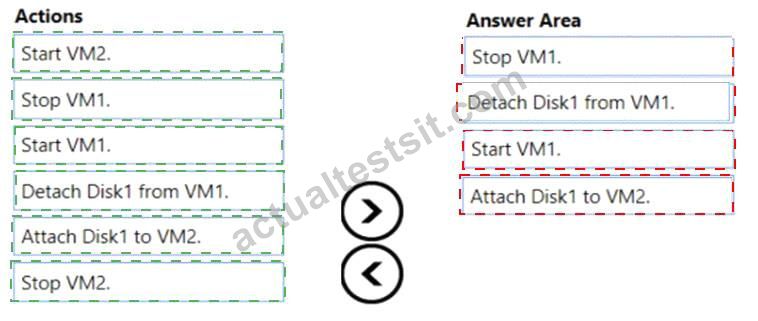
Explanation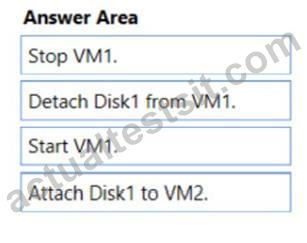
Step 1: Stop VM1.
Step 2: Detach Disk1 from VM1.
Step 3: Start VM1.
Detach a data disk using the portal
* In the left menu, select Virtual Machines.
* Select the virtual machine that has the data disk you want to detach and click Stop to deallocate the VM.
* In the virtual machine pane, select Disks.
* At the top of the Disks pane, select Edit.
* In the Disks pane, to the far right of the data disk that you would like to detach, click the Detach button image detach button.
* After the disk has been removed, click Save on the top of the pane.
* In the virtual machine pane, click Overview and then click the Start button at the top of the pane to restart the VM.
* The disk stays in storage but is no longer attached to a virtual machine.
Step 4: Attach Disk1 to VM2
Attach an existing disk
Follow these steps to reattach an existing available data disk to a running VM.
* Select a running VM for which you want to reattach a data disk.
* From the menu on the left, select Disks.
* Select Attach existing to attach an available data disk to the VM.
* From the Attach existing disk pane, select OK.
References:
https://docs.microsoft.com/en-us/azure/virtual-machines/windows/detach-disk
https://docs.microsoft.com/en-us/azure/lab-services/devtest-lab-attach-detach-data-disk



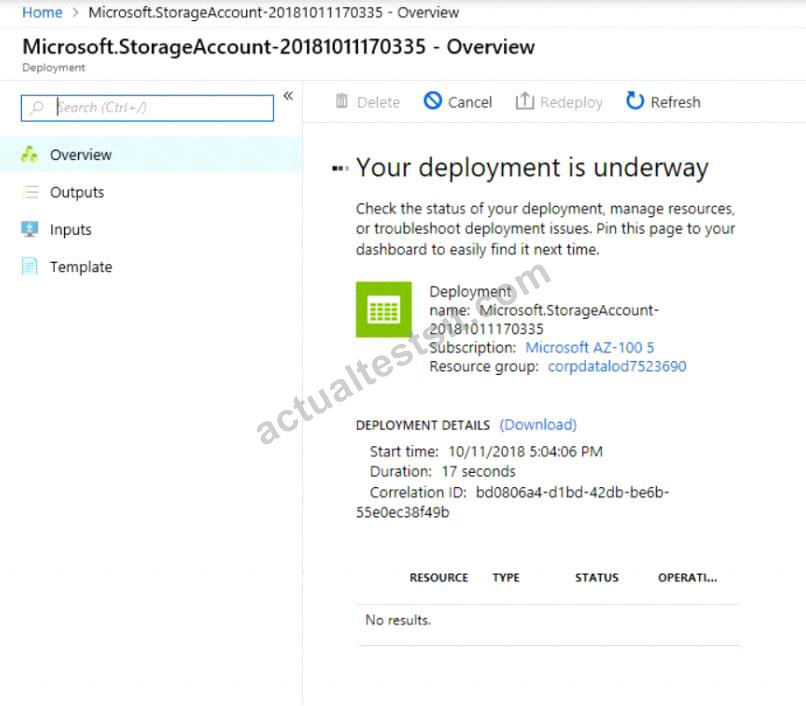

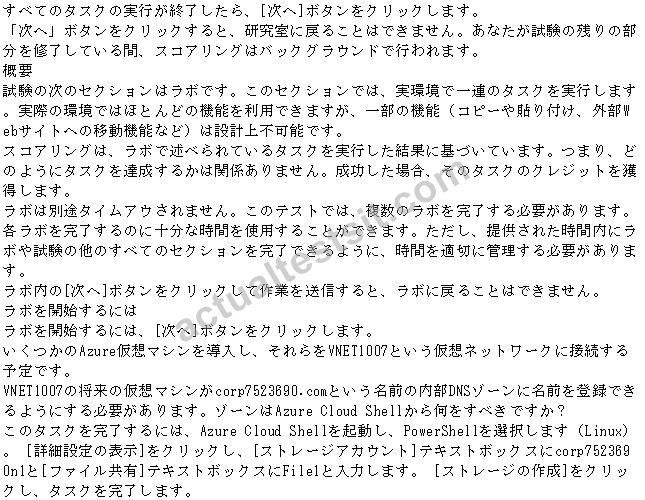
Correct Answer:
See solution below.
Explanation
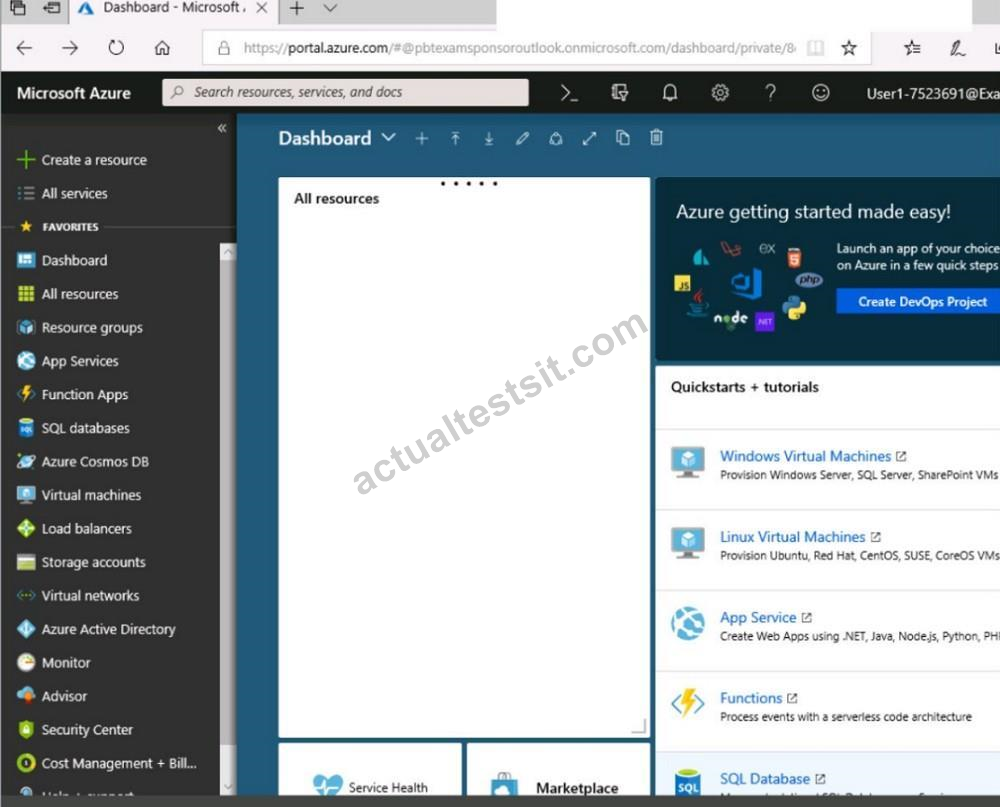
Step 1: New-AzureRMResourceGroup -name MyResourceGroup
Before you create the DNS zone, create a resource group to contain the DNS zone.
Step 2: New-AzureRmDnsZone -Name corp7523690.com -ResourceGroupName MyResourceGroup A DNS zone is created by using the New-AzureRmDnsZone cmdlet. This creates a DNS zone called corp7523690.com in the resource group called MyResourceGroup.
References: https://docs.microsoft.com/en-us/azure/dns/dns-getstarted-powershell

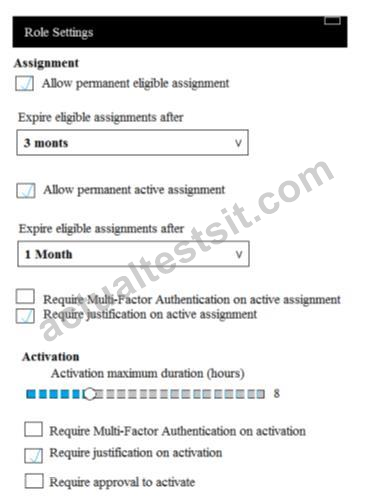


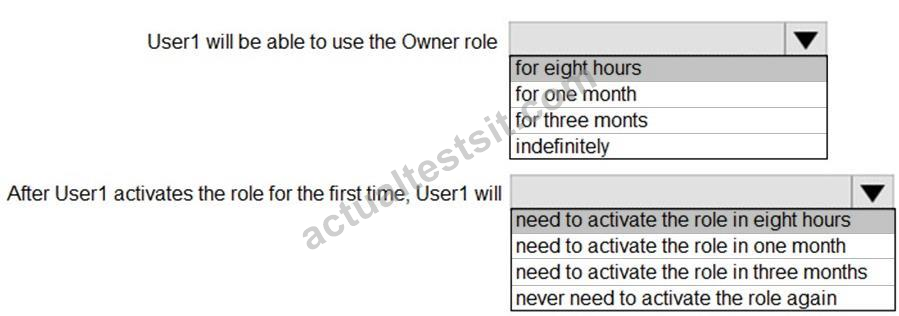



Viewing page 1 out of 41 pages.
Viewing questions 1-5 out of 205 questions.
 0 Customer ReviewsCustomers Feedback (* Some similar or old comments have been hidden.)
Related Exams
Instant Download AZ-100日本語
After Payment, our system will send you the products you purchase in mailbox in a minute after payment. If not received within 2 hours, please contact us.
365 Days Free Updates
Free update is available within 365 days after your purchase. After 365 days, you will get 50% discounts for updating.

Money Back Guarantee
Full refund if you fail the corresponding exam in 60 days after purchasing. And Free get any another product.
Security & Privacy
We respect customer privacy. We use McAfee's security service to provide you with utmost security for your personal information & peace of mind.
